Integrating AI Agents into Your Corporate Website: A Technical Guide
A technical guide to building production-grade AI agents using LLMs, RAG, and function calling — and why Swiss businesses deploying them now are building a last

The Rise of the 24/7 Digital Workforce
Adding a chatbot to your website used to mean adding a clumsy "decision tree" script that frustrated users more than it helped. Today, integrating a true AI Agent means deploying a digital employee that understands context, allows for complex reasoning, and can take action on behalf of the user.
In this technical guide, I will walk through the architecture and implementation of a production-grade AI Agent that handles customer inquiries, books appointments, and qualifies leads—all seamlessly embedded in your corporate website.
1. The Architecture: How It Works
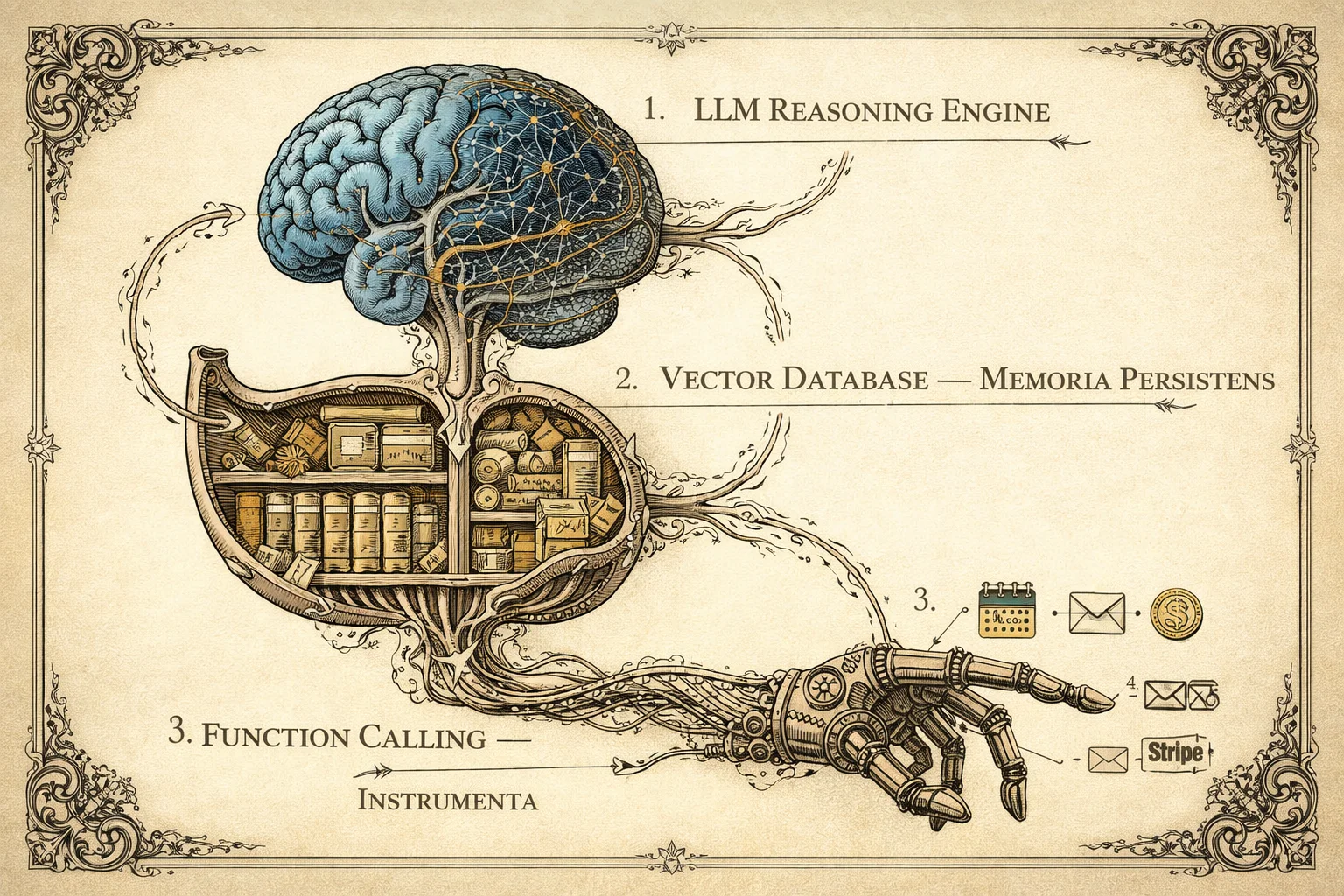
Before writing code, let's visualize the flow. An effective AI Agent isn't just a call to ChatGPT; it's a system composed of LLM (Reasoning), RAG (Memory), and Tools (Action).
graph TD
    User[User on Website] -->|Message| API[Next.js / Python API]

    subgraph "The AI Brain"
        API -->|Context + Query| LLM[LLM (GPT-4o / Claude 3.5)]

        LLM -->|Request Info| VectorDB[(Vector DB / RAG)]
        VectorDB -->|Company Knowledge| LLM

        LLM -->|Execute Action| Tools[Function Calling]
        Tools -->|Booking/Email| ExternalAPIs[External Services (Stripe/Cal.com)]
    end

    LLM -->|Final Response| API
    API -->|Stream Text| User
2. The Gains: Why Build This?
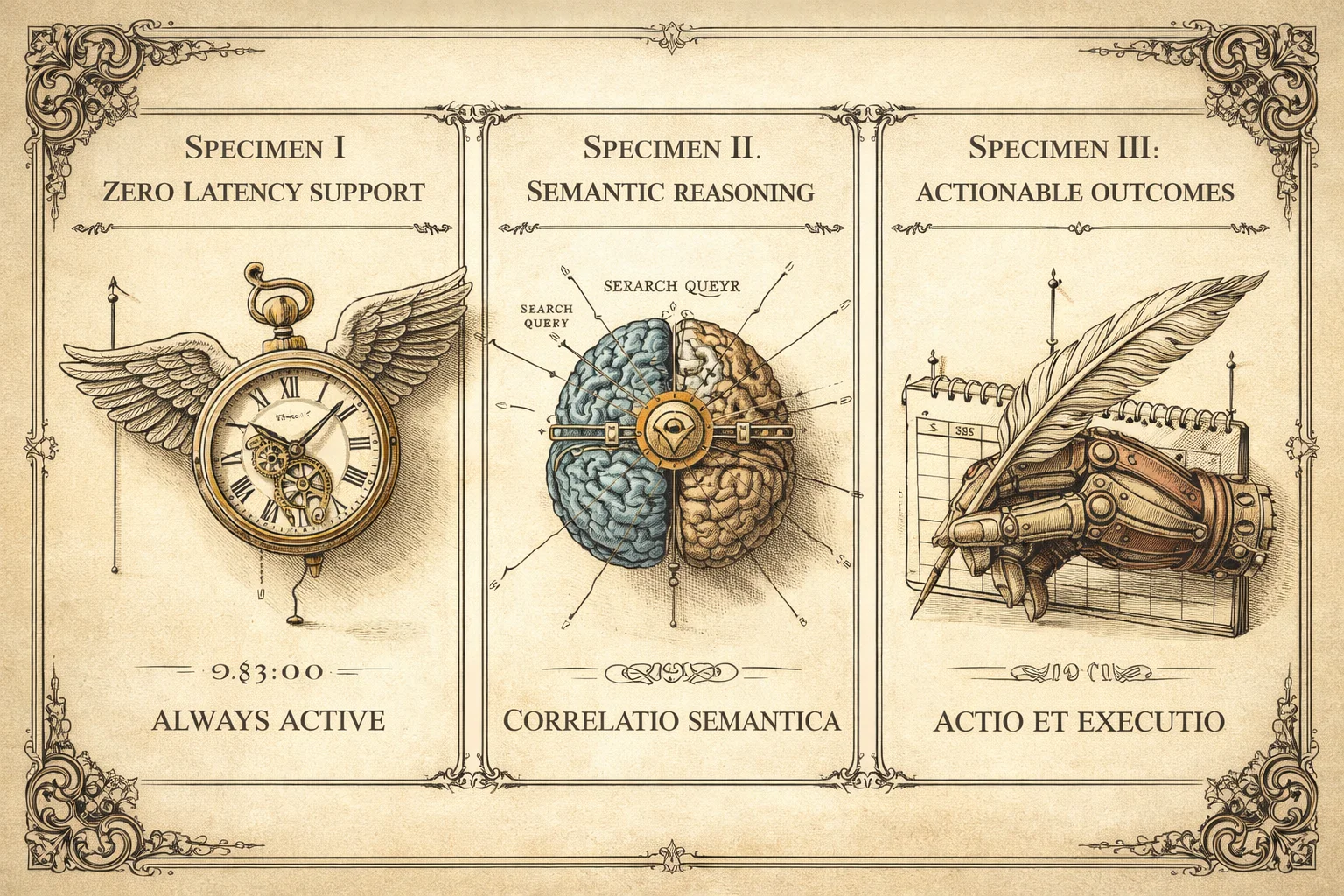
- Zero Latency Support: Clients get answers at 03:00 AM on a Sunday.
- Semantic Search: Users don't need to know exact keywords. They can ask, "Do you have anything for high-traffic database management?" and the AI correlates that to your "Enterprise SQL Service."
- Actionable Outcomes: The agent doesn't just talk; it does. It can schedule a Google Meet, generate a quote PDF, or update a record in Salesforce.
3. Step-by-Step Implementation
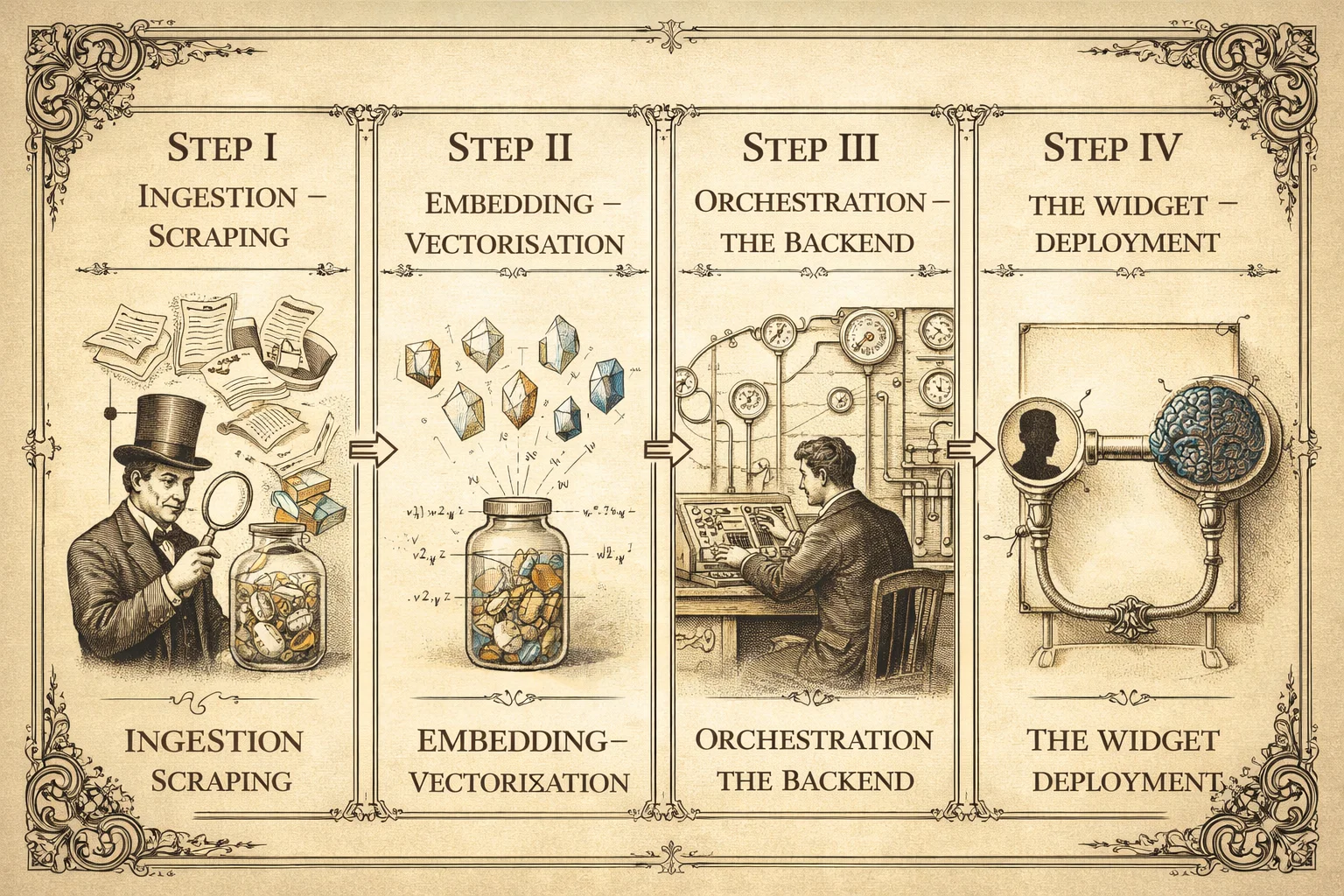
Step 1: The "Brain" & "Memory" (RAG)
You cannot simply rely on the model's training data—it doesn't know your business. I use Retrieval-Augmented Generation (RAG).
- Ingestion: I scrape your existing documentation PDFs, website pages, and Notion docs.
- Embedding: I convert this text into "vectors" (numerical representations of meaning) using OpenAI's
text-embedding-3-small. - Storage: These vectors are stored in a dedicated database like Supabase pgvector or Pinecone.
Step 2: The Backend API (The Orchestrator)
You need a secure backend to manage the conversation state. Here is a simplified TypeScript example using the Vercel AI SDK:
// app/api/chat/route.ts
import { streamText, tool } from 'ai';
import { openai } from '@ai-sdk/openai';
import { z } from 'zod';

export async function POST(req: Request) {
  const { messages } = await req.json();

  const result = streamText({
    model: openai('gpt-4o'),
    messages,
    system: `You are the AI Assistant for Lopes2Tech.
             Be professional, concise, and helpful.
             Use the tools provided to answer questions.`,
    tools: {
      checkAvailability: tool({
        description: 'Check availability for a consultation meeting',
        parameters: z.object({ date: z.string() }),
        execute: async ({ date }) => {
          // Logic to check calendar availability
          return { availableSlots: ['10:00', '14:30'] };
        },
      }),
    },
  });

  return result.toDataStreamResponse();
}
Step 3: Tool Use (Function Calling)
This is the "magic" part. I define tools that the AI can choose to call. If a user asks, "Can I book a meeting next Tuesday?", the LLM doesn't just say "Yes." It triggers the checkAvailability function defined above, gets real data from your calendar API, and responds: "Yes, I have slots open at 10:00 and 14:30 on Tuesday."
Step 4: The Frontend Widget
Finally, I embed this into your site. I recommend using a non-blocking, floating widget reacting to user intent.
Key UX Considerations:
- Streaming: Text should appear as it's being generated (typing effect) to reduce perceived latency.
- Suggested Actions: Offer buttons like "Pricing," "Services," or "Contact" to guide the user.
- Fallback: Always provide a path to a real human if the AI gets stuck.
Key Takeaways
- An AI Agent is not a chatbot: It combines LLM reasoning, RAG memory, and function calling to understand, remember, and act — not just respond.
- RAG is what makes it useful: Without retrieval of your own business knowledge, the agent knows nothing about your services, pricing, or processes.
- Function calling is what makes it powerful: The agent can book meetings, generate quotes, and update records — not just answer questions.
- Deployment is weeks, not months: With modern tools (Vercel AI SDK, Supabase pgvector, Stripe), a production-grade agent can go live in 2–4 weeks.
- The moat is real: Businesses that deploy this now are operationally ahead of competitors still relying on static contact forms and email queues.
Conclusion: A Competitive Moat
Implementing an AI Agent is no longer a multi-million dollar R&D project. With modern tools, a customized, knowledge-aware agent can be deployed in weeks.
The companies that integrate this layer now are building a significant competitive moat: easier to do business with, faster to respond, and operating at a fraction of the overhead.

Paulo Lopes
Founder & CTO
Founder of Lopes2Tech, specializing in AI-powered development workflows and high-performance web applications for Swiss businesses.
Ready to start?
Ready to grow your Swiss business?
We build fast, intelligent websites and systems that generate leads while you sleep. Let's talk about your next project.
Book a free consultation
